
How to Engineer AI Prompts for Interior Design | A Professional's Guide
Introduction: From Guesswork to Precision in AI Home Design
Imagine you ask an AI to create an image of "a nice living room" and receive back a sterile, plastic-like space with a sofa that seems to meld into the floor. Now, envision a sunlit Japandi-style sanctuary where you can almost feel the texture of the bouclé sofa and see the dust motes dancing in the soft afternoon light through a shoji screen. The second image feels real enough to step right into it. The difference isn't the AI—it's the prompt.
As an interior designer with over 15 years of experience, I've seen technology transform our industry time and again. But nothing has been as transformative as AI image generation. It promises to bring our most ambitious visions to life in seconds. The key, however, is learning to speak its language not through guesswork but through engineering. This is the skill that separates a generic, forgettable render from a photorealistic masterpiece.
I learned this the hard way. When I first began experimenting with text-to-image AI, I was both amazed and frustrated. I envisioned a client's reading nook as cozy, vintage, with a worn leather armchair and custom-built mahogany bookshelves. Typing in "cozy vintage reading nook with leather chair and mahogany shelves" resulted in a cartoonish room where the books appeared fused together, and the 'leather' chair had a strange, glossy sheen like that of a vinyl diner booth. It was a failure. That frustrating experience marked my turning point. I realized that to achieve professional results, I needed to stop making requests and start giving precise, architectural-level instructions. I became a prompt engineer.
Why Your AI Interior Design Prompts Fail: A Diagnostic Approach
You've been there. You type "modern living room" into an AI image generator, full of creative anticipation. What you get back is... fine. It's technically a modern living room, but it’s sterile, generic, and lacks any semblance of personality. It feels less like a design and more like a digital cliché pulled from a decade-old catalog. This experience is frustrating, and it's the single biggest reason professionals dismiss AI as a toy rather than a tool.
The problem isn’t the AI; it’s the prompt. These models are incredibly powerful, but they aren't mind-readers. A vague prompt is an open invitation for the AI to fill in the blanks with the most statistically common, and therefore most generic, concepts from its training data. Common failure points in text-to-image generation often stem from this lack of specificity. When the model doesn’t have enough detail, it defaults to a blurry, averaged-out idea of your subject, resulting in uninspired visuals. Your prompt failed not because the AI is incapable, but because it was given a map with no street names.
What Exactly Are AI Interior Design Prompts? The Science Behind the Magic
So, what's happening under the hood? When you write a prompt, you're not just giving the AI a suggestion; you're providing precise coordinates. The technology behind most modern text-to-image tools is called a 'diffusion model.' Here’s a friendly way to understand it: imagine the AI starts with a canvas full of pure static, like a TV screen with no signal. This is digital noise.
The model, which has been trained on billions of image-text pairs, has learned how to reverse this process—how to turn noise into a clear image. As explained in a survey on Text-to-Image Diffusion Models (Source: Wikipedia), the text prompt acts as the crucial guide for this denoising process. Think of yourself as a sculptor and the AI as your assistant. You hand your assistant a block of marble (the noise) and a set of detailed instructions (the prompt).
- A simple prompt like
a living roomis like saying, "Carve a person." You’ll get a generic statue. - A detailed prompt like
a cozy, minimalist living room with a bouclé sofa, bathed in soft afternoon sunlightis like saying, "Sculpt a serene figure in a relaxed pose, with gentle folds in the fabric, and make sure the light catches their left shoulder."
Every descriptive word you include directs the AI to a more precise location in its vast universe of creative possibilities (what experts call the 'latent space'), turning random pixels into a coherent, detailed image that aligns with your vision.
The Anatomy of an Ideal Instruction: A Dissective Chart
To transition from asking to directing, you must emulate the mindset of a skilled craftsman. A master instruction isn’t merely one lengthy, convoluted sentence; it’s meticulously composed from distinct elements. This chart dissects the fundamental components of a high-quality instruction, providing you with a foundational blueprint for all your future endeavors.
| Component | Purpose | Example |
|---|---|---|
| Primary Focus | Defines the central theme or subject matter that will be depicted in the image. This is the unyielding cornerstone of your scene. | a tranquil, minimalist bedroom |
| Aesthetic Enhancements | Specifies the overall design style and atmosphere. Are we aiming for a Scandinavian aesthetic, an industrial loft, or a grand palace? | in a Japandi-inspired setting, serene, minimalistic |
| Material & Texture Specs | Adds realism and tactile detail. Specify tangible elements that make a space feel real. | with a low-profile linen bed, light oak floors, and rough-hewn ceramic vases |
| Lighting & Atmosphere | Controls mood, time of day, and emotional tone. Lighting is the most powerful element for realism. | illuminated by soft, diffused morning light through shoji screen windows |
| Color Palette | Guides overall color scheme to ensure harmony and intention in final image. | neutral palette of beige, cream, and subtle black accents |
| Camera & Composition | Dictates final shot's perspective, lens, and quality as if you were the photographer on-site. | photorealistic interior photography, eye-level wide-angle shot, 35mm lens |
Core Workflow: Crafting AI Prompts for Interior Design
Developing an effective prompt involves multiple iterations. It's not necessary to get it perfect on your first attempt. Instead, refine your vision by building layer by layer. Let’s walk through a step-by-step example.
Step 1: The Basic Subject
We start with the most fundamental concept. There are no stylistic details or specific features—just the core subject. This is where many people begin, and it often results in generic outcomes.
Prompt: a living room
Result:

As you can see, the AI provides an average living room. It’s not bad but lacks a distinctive perspective.
Step 2: Adding Style & Mood
Now, let's imbue it with personality. By adding just two descriptive words, we give the AI clear direction. We’re no longer simply asking for a room; we’re specifying a feeling.
Prompt: a cozy, minimalist living room
Result:
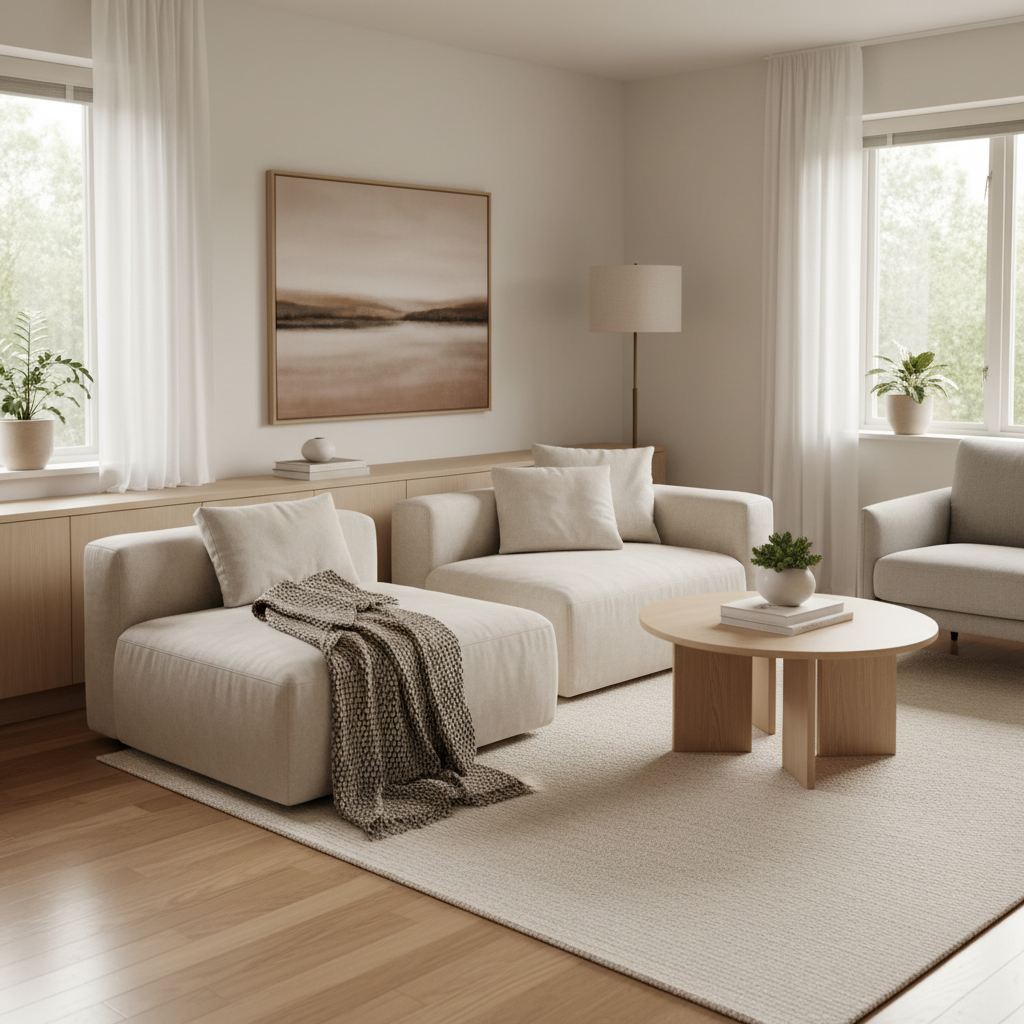
An immediate improvement. The space feels more intentional. The furniture is simpler, and the color palette is more subdued, aligning with our new keywords.
Step 3: Specifying Materials & Textures
This is where we add tactile reality. A generic "sofa" differs significantly from a "bouclé sofa." By specifying materials and textures, the AI can determine what surfaces should look and feel like, dramatically enhancing realism.
Prompt: a cozy, minimalist living room with a bouclé sofa, walnut wood floors, and brass fixtures
Result:
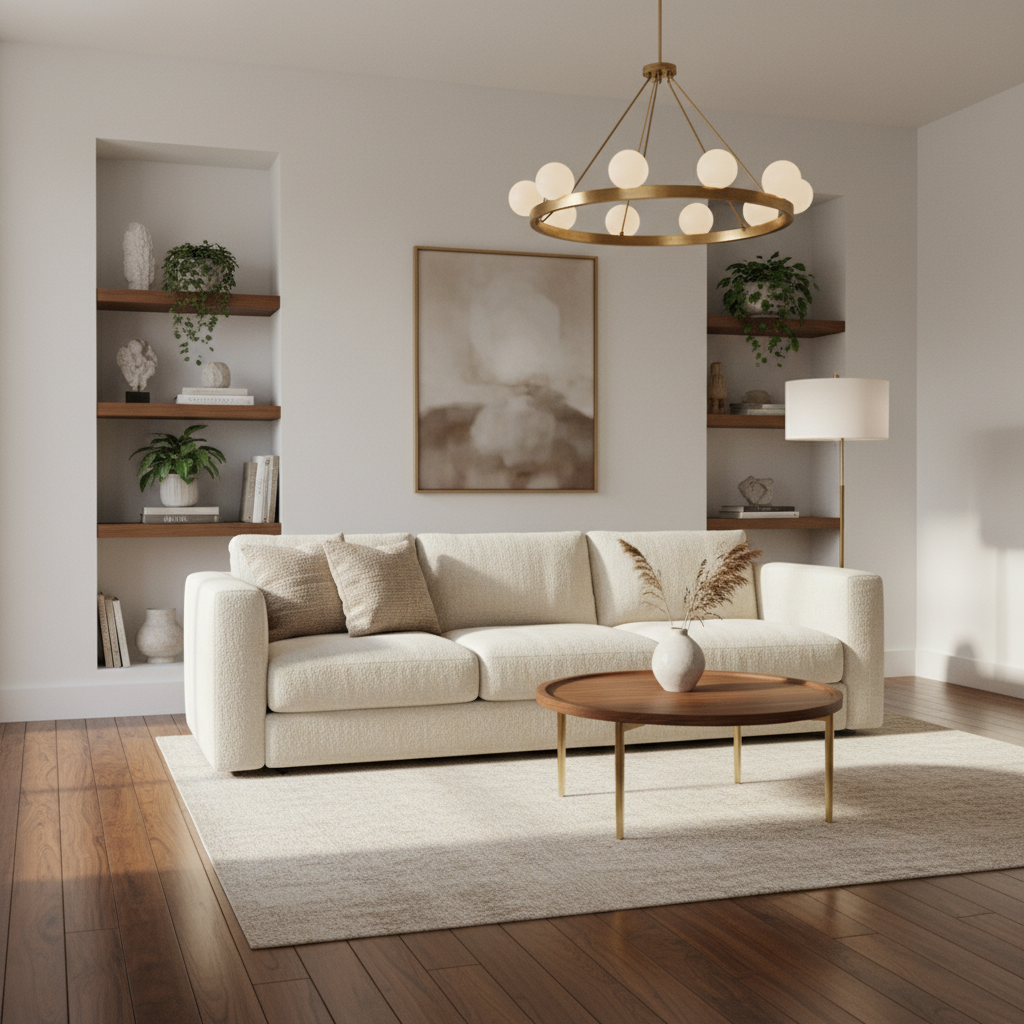
Look closely. You can see the distinct texture of the bouclé fabric, the warm grain of the walnut, and the metallic sheen of brass. The image is becoming more believable and sophisticated.
Step 4: Engineering the Lighting
Light is the soul of a room. Instead of leaving it to chance, let's direct it. We'll specify the type of light, its direction, and the time of day to create a specific atmosphere.
Prompt: a cozy, minimalist living room with a bouclé sofa, walnut wood floors, and brass fixtures, bathed in soft, indirect afternoon sunlight from a large window
Result:
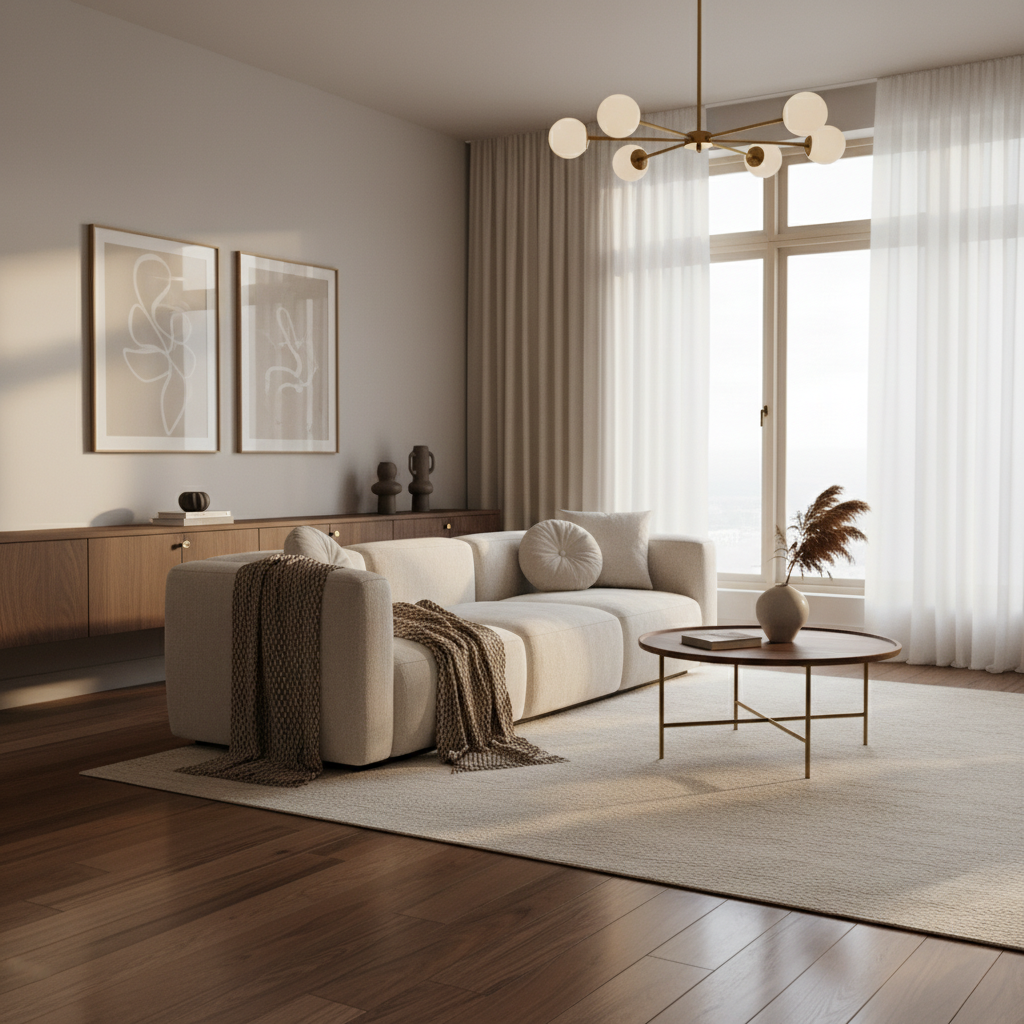
The scene is transformed. The soft, indirect sunlight creates a warm, inviting glow and gentle shadows, adding depth and emotion. The lighting now tells a story.
Rewritten Text:
Finally, we'll transition from being a designer to also becoming a photographer. By defining the camera shot, we control how viewers experience the space. This final layer distinguishes between good images and professional photographs.
Prompt:
A photorealistic AI-generated image of a cozy, minimalist living room with a bouclé sofa, walnut wood floors, brass fixtures, and soft, indirect afternoon sunlight from a large window.
This is our expert-level result. The photorealistic tag ensures realism, the eye-level wide-angle shot creates a natural view, and interior photography guides AI to mimic professional composition. Each element now works together to achieve a specific, high-quality vision.
Japandi is an amalgamation of Japanese minimalism and Scandinavian functionality. Its fundamental components encompass minimalism, an emphasis on natural illumination, neutral hues, and eco-friendly materials (Source: Wikipedia). This comprehension aids in the construction of a more effective prompt.
- Formula:
[Room] + incorporating shoji screens, low-profile furniture in light oak, and washi paper lanterns + with a neutral color scheme of beige, cream, and black accents + bathed in soft, diffused natural light. - Example:
A Japandi dining room featuring shoji screens, a low-profile dining table in light oak, and washi paper lanterns, with a neutral color palette of beige, cream, and black accents, illuminated by soft, diffused natural light.
This style draws inspiration from old factories and industrial spaces. As explained by design experts like MasterClass, it's about embracing raw, unfinished textures and highlighting the structural elements of a building.
- Formula:
[Room] + featuring exposed brick walls, polished concrete floors, and visible metal ductwork + equipped with worn leather and reclaimed wood pieces + illuminated by vintage Edison bulbs, creating dramatic shadows. - Example:
An industrial-style home office with exposed brick walls, polished concrete floors, and visible metal ductwork, furnished with a worn leather armchair and a reclaimed wood desk, lit by vintage Edison bulbs creating dramatic shadows.
Biophilic Style Formula
Biophilic design is all about connecting with nature. It seeks to bring the outdoors in by incorporating natural materials, light, vegetation, and other elements from the natural world (Source: Wikipedia).
- Formula:
[Room] + seamlessly integrating nature with a living green wall, abundant potted plants, and natural wood elements + with an earthy color palette and floor-to-ceiling windows + capturing bright, natural morning light. - Example:
A biophilic bathroom seamlessly integrating nature with a living green wall behind the bathtub, abundant potted ferns, and natural teak wood elements, with an earthy color palette and large skylight capturing bright, natural morning light.
How to Use ChatGPT for Interior Design Ideation and Prompt Expansion
Sometimes you have a vague idea but need help fleshing it out. This is where conversational AI like ChatGPT can be a powerful brainstorming partner. You can use it to:
- Define a Style: Ask it, "What are the key characteristics of French Country interior design? List specific furniture, materials, and colors."
- Brainstorm Concepts: Give it a scenario: "I want to design a home office that feels creative and energizing. Provide three different style concepts to explore."
- Expand a Simple Prompt: Provide a basic idea and ask for a detailed prompt. For example: "Take the idea 'a modern kitchen' and expand it into a detailed, photorealistic prompt for an AI image generator. Include specific materials, lighting, and camera details."
By using ChatGPT as your creative assistant, you can quickly generate well-structured, detailed prompts that are ready to be used in an image generation tool.
Advanced Techniques: Mastering Light, Materials, and Camera Control
For the professional who needs maximum control, mastering specific keywords can unlock new levels of realism and precision.
Managing Light and Atmosphere
Exceed "natural light" with terms that describe its quality and behavior:
Volumetric lighting: Creates visible beams of light, like sun rays cutting through a dusty room. Adds drama and depth.Cinematic lighting: A broad term cueing the AI to create dramatic, high-contrast lighting often seen in films.Softbox lighting: Mimics the diffused, even light from a photographer's softbox, ideal for clean, product-focused shots.- Time of Day: Be specific.
Golden hourcreates a warm, soft glow, whilemidday sunproduces harsh, bright light and strong shadows.
Specifying Photorealism and Rendering Engines
To push your images from looking good to looking real, use keywords from the world of 3D rendering:
Photorealistic,Hyperrealistic,8K,Ultra-detailed: These are direct commands to increase the level of detail and realism.Unreal Engine 5,V-Ray render,Octane render: Referencing specific 3D rendering engines tells the AI to mimic their distinct, high-fidelity visual styles (Source: Reddit r/promptcraft). This is a powerful trick for achieving professional-grade results.
Directing the Camera
Master the camera with photography and cinematography terms:
- Camera Angles:
Eye-level shot(the most natural),low-angle shot(makes the room feel larger and more imposing),high-angle shot(provides a bird's-eye view),dutch angle(tilts the camera for a dynamic, unsettling feel). - Lenses:
35mm lens(a common choice for wide, natural-looking interior shots),85mm portrait lens(focuses on a specific detail with a blurred background, known as bokeh),macro lens(for extreme close-ups on textures). - Composition:
Rule of thirds(places key elements off-center for a more balanced look),leading lines(uses lines in the room to guide the viewer's eye),depth of field(creates a blurry background to make the subject pop).
Quick Guide: The Do's and Don'ts of Prompt Engineering
Remember these essential tips for a smoother, more effective workflow.
- Do: Use specific, descriptive adjectives (e.g., "plush velvet armchair" instead of "nice chair").
- Do: Be precise with materials, textures, and lighting to ground your image in reality.
- Do: Use commas to separate distinct concepts and build your prompt in a logical order (Subject > Style > Materials > Lighting > Camera).
- Don't: Use vague, subjective terms like "beautiful" or "amazing." Show, don't tell.
- Don't: Forget to specify the camera view and shot type. It's one of the most impactful elements for achieving realism.
- Don't: Use negative prompts (e.g., "no clutter") unless you are an advanced user. It can sometimes confuse the AI and produce unpredictable results. Focus on describing what you do want to see.
Abstract
This manual offers a professional blueprint for crafting bespoke, photorealistic interior designs using AI prompts. It surpasses simple descriptions to tackle the challenge of generic, uninspired AI-generated images. By dissecting the anatomy of an ideal prompt and presenting a step-by-step workflow from basic to advanced, this playbook guides users in building prompts from simple to complex. Advanced techniques for controlling light, materials, and camera composition are detailed, empowering tech-savvy professionals to transition from guesswork to precision. The methodologies outlined enable users to direct AI with expert control, ensuring the final output consistently aligns with their specific creative vision.
Conclusion: You Are the Architect, AI is Your Tool
From bland, generic rooms to stunning, photorealistic interiors, it's not about luck—it's about method. The key difference lies in shifting your mindset from a user who makes requests to an engineer who gives directions. By mastering the structured, component-based approach outlined here, you become the creative architect. AI is a powerful tool, but it's your vision, precision, and skillful communication that will ultimately guide it to create spaces that are not just rendered, but truly designed. Now, go build something beautiful. For more tips and guides, check out our blog.
References
- Wikipedia contributors. (2023, October 27). Text-to-image model. In Wikipedia, The Free Encyclopedia. Retrieved November 7, 2023, from https://en.wikipedia.org/wiki/Text-to-image_model
- Wikipedia contributors. (2023, August 28). Japandi. In Wikipedia, The Free Encyclopedia. Retrieved November 7, 2023, from https://en.wikipedia.org/wiki/Japandi
- Wikipedia contributors. (2023, September 29). Biophilic design. In Wikipedia, The Free Encyclopedia. Retrieved November 7, 2023, from https://en.wikipedia.org/wiki/Biophilic_design
- Virtual Minds. (2023). Top 5 AI Interior Design Apps. Retrieved from https://virtualminds.tech/top-5-ai-interior-design-apps/
- Reddit Community. (2022). Midjourney Prompt Keywords for Super Realistic Results. Retrieved from https://www.reddit.com/r/promptcraft/comments/x5ezsl/midjourney_prompt_keywords_for_super_realistic/
Frequently Asked Questions (FAQ)
What is the best way to write an excellent AI instruction for interior design?
A good instruction should be clear and well-structured. Begin by specifying the main subject (e.g., a master bedroom), then add style modifiers (in a Japandi style), materials (light oak floors), lighting (soft, diffused morning light), and camera details (photorealistic, eye-level shot). The more specific your instructions, the better the result.
Which AI tools are best for generating interior design ideas? For easy visualization, specialized tools like RoomsGPT or MyRoomDesigner.AI can be great starting points. For maximum creative control and photorealism, professionals use powerful models like Midjourney and Stable Diffusion, which excel with the detailed prompt engineering techniques covered in this guide (Source: Virtual Minds Tech).
Can AI help me describe an interior design style? Absolutely. Conversational AI like ChatGPT is a fantastic tool for this. You can ask it to describe a style, such as "Japandi" or "Biophilic," and it will provide you with key elements, materials, and color palettes that you can use to build a detailed and effective prompt.
How do I get realistic interior design images from AI? Realism comes from being specific. Engineer your instruction with precise details in three main areas:
- Materials & Textures: Use terms like
oak veneer,velvet recliner, andhigh-polished concrete. - Lighting: Specify the light source and quality, using phrases like
soft, indirect afternoon sunlightorvolumetric lighting. - Rendering & Camera: Add technical terms like
photorealistic,Unreal Engine 5, and8K, and define a camera view, such aseye-level wide-angle shot.