
Stop Guessing: How to Diagnose & Fix Ineffective AI Prompts
Part 1: Introduction
The Frustration of a Failed Prompt
You’ve been there. You pour hours into crafting what feels like the perfect prompt, only to be met with responses that are bland, generic, or completely off the mark. It’s a frustrating cycle of trial and error that can make you feel more like playing a slot machine than directing a powerful tool.
I recall one particularly high-stakes situation where our team was launching a new feature. We needed compelling ad copy, fast. My initial prompt was simple: "Write some exciting ad copy for our new analytics dashboard." The AI returned slogans so generic they could have been for a toothpaste brand. After several failed attempts, the pressure mounted. The 'aha' moment came when we stopped guessing and started building the prompt with intention: defining the target audience (data-driven marketers), specifying the tone (empowering and insightful), and providing context about the feature's key benefit (turning raw data into actionable strategy). The result was a set of sharp, targeted headlines that were ready to use. This experience was a powerful lesson: the problem wasn't the AI; it was our approach.
Why Making Assumptions Is Wasting Your Time and Quality
The 'aha' moment is at the heart of this guide. Randomly tweaking words and hoping for the best isn't just inefficient; it's a barrier to quality. The difference between inconsistent results and reliable, high-quality output lies in shifting your mindset from guessing prompts to engineering them.
For developers, this means fewer hours debugging faulty code snippets. For marketers, it means creating resonant copy that converts instead of generic filler. For any tech-savvy professional, it means reclaiming time and elevating the quality of your work. Engineering your prompts is the key to unlocking the true potential of AI, turning it from an unpredictable assistant into a reliable, expert-level partner.
This guide is for you too. It's designed for tech-savvy professionals—developers, marketers, product managers, and content creators—who are fed up with inconsistent AI results and eager for a structured approach. If you prioritize efficiency, precision, and control, this is the right place for you.
At PromptPilot, we live and breathe this challenge every day. We've built our platform around the core belief that prompt engineering is a crucial skill for modern professionals. We've helped countless teams move beyond guesswork to create powerful, repeatable AI workflows. Our expertise comes from years of experience in the trenches, and we've distilled our key learnings into this practical, actionable guide to help you achieve the same results.
Part 2: The Main Body
Why Your AI Prompts Fail: Identifying the Underlying Issues
You've put in ten minutes crafting what seemed like the perfect prompt, hit enter, and got... garbage. A generic, useless, or completely bizarre response that now wastes your time. This is a common frustration in the world of generative AI, but it's not random. When an AI fails to perform as expected, it’s usually not due to a bad model, but rather because of a poorly written prompt. Let's identify the root causes. Research and practical application demonstrate that many prompt failures fall into a few predictable categories. As one analysis on prompt engineering highlights, even with powerful models, ambiguous instructions remain one of the most frequent reasons for poor output (Source). Let's dissect the four most common failure modes. Four common reasons why AI prompts fail: vague instructions, missing context, incorrect format, and overly complex instructions. Each reason is represented by a simple icon.
1. Vague and Ambiguous Instructions
AI models lack human intuition. They can't "read between the lines" or infer your intent. When you use vague verbs or imprecise nouns, you're leaving the door wide open for AI to make its own (often incorrect) assumptions.
- Before:
"Write about our new software."- Problem: What kind of writing? An email? A blog post? Who is "our"? What does the software do? This invites a generic, uninspired paragraph.
- After:
"Craft a 50-word tweet announcing 'PromptPilot v2.0' and its key feature: a collaborative workspace for AI prompt engineering. Use an enthusiastic and professional tone."- Solution: This prompt specifies clear nouns ('PromtPilot v2.0') and verbs ('announcing', 'mentioning') to eliminate guesswork.
2. Lack of Context
Context is the single most crucial element for a high-quality AI response. Without it, the AI is like a brilliant new hire on their first day with no orientation. They have all the skills but no idea what the company does, who the customers are, or what the project goals are. You must provide that background information.
Imagine asking the same question without and with context:
- Without Context: "Summarize the main challenges."
- AI's likely response: "What challenges are you referring to? Please provide more details about the topic."
- With Context: "You are a project manager. Below is the final status report from our marketing campaign. Based on this report, summarize the top three challenges the team faced regarding budget allocation and social media engagement.
[Report text pasted here]
- Result: A targeted, relevant, and immediately useful summary.
4. Overly Complex or Conflicting Instructions
Mixing multiple requests in a single prompt can lead to confusion. If you ask the AI to write a blog post, summarize it, extract keywords, and translate it into Spanish all at once, you're likely to receive an unclear response where parts of the task are poorly executed and others are completely ignored. A better strategy is to break down complex workflows into simpler, more focused prompts.
The Prompt Debugging Framework: 7 Actionable AI Prompt Optimization Techniques
Now that we've identified the issues, let's address them. Transitioning from guesswork to engineering necessitates a system. This framework is your dependable, step-by-step process for transforming an ineffective prompt into a high-performance one.
[KEY DEFINITION]
Prompt Engineering: The systematic approach of designing, refining, and optimizing input prompts to reliably control and steer the output of generative AI models.
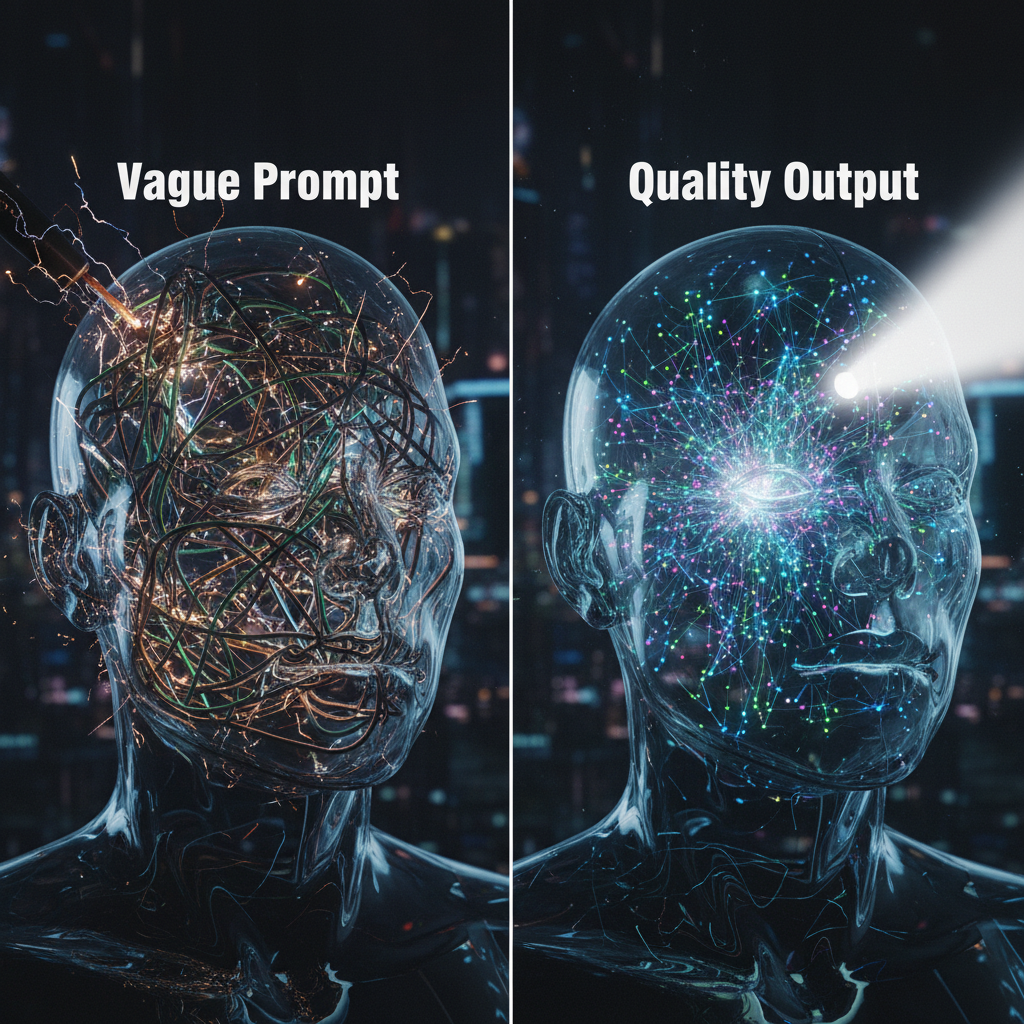
Step 1: The Specificity Principle - Use Explicit Nouns and Verbs
Stop using words like "make," "do," or "write about." Instead, command the AI with precision. Replace vague terms with explicit instructions that leave no room for interpretation.
- Instead of:
"Make this better." - Try:
"Enhance this section by incorporating a data point and an rhetorical question." - Instead of:
"Tell me about marketing." - Try:
"Compile a comprehensive list of the top 5 digital marketing tactics for a B2B SaaS company targeting enterprise clients."
Step 2: The Context Layer - Provide Background, Goals, and Constraints
Always assume the AI knows nothing. Your job is to brief it like a team member. Use a simple checklist to ensure you've provided enough context:
- Background: What essential information does the AI need to know before starting?
- Goal: What is the primary purpose of this output? What should it achieve?
- Audience: Who is this for? (e.g., developers, potential customers, executives)
- Constraints: What should the AI avoid? (e.g., "Do not use technical jargon," "Keep the response under 100 words.")
Step 3: The Persona Pattern - Assign a Role to the AI
Giving the AI a role is like casting an actor in a movie. It instantly provides a lens through which the AI will filter its knowledge, adopt a specific tone, and frame its response. This is one of the easiest ways to dramatically boost output quality.
- For Marketers: "Act as a world-class SEO strategist..."
- For Developers: "You are a senior Python developer specializing in data security..."
- For Product Managers: "Assume the persona of a product manager writing a user story..."
Step 4: The Format Directive - Specify the Output Structure
Always ensure that the structure of the output is predetermined. If you need to input data directly into another tool or create a perfectly formatted list for a presentation, you must request it.
- For code: "Provide the answer as a single, well-commented Python code block."
- For data: "Generate the output as a JSON object with the following keys: 'productName', 'features', and 'price'."
- For content: "Structure your response as a Markdown table with three columns: 'Feature', 'Benefit', and 'Use Case.'"
Step 5: The Example-Led Prompt (Few-Shot Prompting)
Occasionally, the most efficient method to communicate your expectations is by demonstrating it directly within the prompt. IBM emphasizes that this technique helps guide the model's performance by providing a clear pattern to follow (Source). This approach is particularly effective for tasks involving specific formatting, tone, or data extraction.
-
Example for sentiment analysis: Extract the sentiment from these customer reviews.
Examples:
Review: 'The setup was a nightmare!' → Sentiment: Negative
Review: 'I love the new interface, it's so easy to use.' → Sentiment: Positive
Review: 'The battery life could be better, but the screen is amazing.' → Sentiment: Mixed "
Step 6: Chain-of-Thought Method
For complex problems that require logic, math, or multi-step reasoning, you can significantly improve accuracy by asking the AI to "think step-by-step." This forces the model to slow down, break the problem into smaller parts, and show its work. This externalizes its reasoning process, making it easier to spot errors and leading to a more reliable final answer.
- Prompt Example: "A shirt costs $50 after a 20% discount. What was the original price? Think step-by-step to solve this."
Step 7: Iterate in a Dedicated Prompt Engineering Workspace
Your first prompt is rarely your best. True prompt engineering is an iterative process of testing, analyzing the output, and refining your instructions. Trying to manage this in a standard chatbot window is chaotic. A dedicated prompt engineering workspace allows you to version your prompts, compare outputs side-by-side, and collaborate with your team to build a library of high-performance, reusable prompts. This is where you turn prompting from a one-off action into a systematic, scalable skill.
From Theory to Practice: A Prompt Engineering Guide for Marketers and Developers
Let's see how this framework transforms a real-world task for two different professionals.
Scenario 1: For Marketers - Generating High-Performance Ad Copy
-
Bad 'Before' Prompt:
"Write some ad copy for our new project management tool."Result: Generic, boring copy that could be about any tool. -
*Good 'After' Prompt (Applying the Framework): *"[Persona] Act as a senior direct response copywriter with expertise in B2B SaaS.
[Context] We are launching 'FlowState', a new project management tool for remote software development teams. Our target audience is CTOs and Engineering Managers. The key differentiator is our AI-powered sprint planning feature that predicts bottlenecks.
[Task & Format] Write three ad headlines (under 60 characters) and one ad body text (under 250 characters) for a LinkedIn ad campaign. The tone should be urgent and benefit-driven. Focus on the pain point of missed deadlines and position 'FlowState' as the solution.
[Constraint] Do not use the word 'easy'."` Result: Sharp, targeted, and persuasive ad copy that speaks directly to the audience's pain points.
Scenario 2: For Developers - Generating and Debugging Code Snippets
-
Bad 'Before' Prompt:
"Give me python code to connect to a database."Result: An incomplete, generic snippet that might use an outdated library and has no error handling. -
*Good 'After' Prompt (Applying the Framework): `"[Persona] You are a senior Python developer specializing in database optimization and security.
[Context & Task] Write a Python script that connects to a PostgreSQL database using the 'psycopg2' library. The script must include functions to:
- Establish the connection using environment variables for credentials (DB_USER, DB_PASS, DB_HOST, DB_NAME).
- Execute a parameterized query to prevent SQL injection.
- Close the connection gracefully.
[Format & Constraints] The code should be fully commented, follow PEP 8 styling, and include robust try/except blocks for error handling. Provide the output as a single Python code block." ` Result: Secure, production-ready, and well-documented code that is immediately usable.
Abstract: A Quick Reference Guide to Fixing Your AI Prompts
Feeling stuck in the prompt-and-response loop? Here’s a handy cheat sheet to diagnose and fix your AI prompts.
Four Key Reasons Your Prompts Fail:
- Vague Instructions: The AI has to guess what you want.
- Missing Context: The AI lacks background, goals, or constraints for relevant responses.
- Incorrect Format or Persona: You haven’t told the AI how to answer or who it should be.
- Overly Complex Requests: You’re asking too much of the AI at once.
The 7-Step Framework for High-Performance Prompts:
- Be Specific: Use clear nouns and verbs.
- Add Context: Provide background, goals, and constraints.
- Assign a Persona: Tell the AI who to act as.
- Define the Format: Specify output structure (e.g., JSON, Markdown, list).
- Use Examples (Few-Shot): Show the AI what you want.
- Use Chain-of-Thought: Ask the AI to "think step-by-step" for complex tasks.
- Iterate: Test, refine, and version your prompts in a dedicated workspace.
Conclusion: Stop Guessing, Start Directing Your AI
Transitioning from a guesser to an engineer is a significant shift in perspective. It's the difference between being a passive observer and an active director of your AI tools. By systematically diagnosing why prompts fail and applying a structured framework to fix them, you achieve unprecedented precision and control over your AI’s output.
This isn’t just about writing better prompts; it’s about building reliable, repeatable systems that save time, enhance the quality of your work, and unlock the full potential of generative AI. The techniques in this guide are your starting point. The next step is to apply them in an environment designed for professionals.
Ready to take control? Try PromptPilot, the prompt engineering workspace focused on precision, collaboration, and high-performance results.
What is the best AI prompt generator?
The "best" tool is the one that best fits your workflow, but top-tier solutions move beyond simple generation and offer a complete prompt ops system. Look for features that allow you to test, version, collaborate on, and deploy your prompts. This turns prompting from a guessing game into a systematic engineering discipline.
Here’s a comparison of some leading platforms:
| Feature | PromptPilot | PromptHub | Vellum | PromptLayer | Arize AX |
|---|---|---|---|---|---|
| Collaboration | ✅ | ✅ | ✅ | ✅ | ✅ |
| Version History | ✅ | ✅ | ✅ | ✅ | ❌ |
| A/B Testing | ✅ | ❌ | ✅ | ✅ | ✅ |
| Supported Models | All Major LLMs | OpenAI, Anthropic | OpenAI, Anthropic, Google | OpenAI | All Major LLMs |
| Prompt Playground | ✅ | ✅ | ✅ | ✅ | ✅ |
How do I write a good prompt for AI from scratch?
Begin with the 7-Step Framework outlined in our cheat sheet above. Start with a clear, specific instruction (Step 1), layer in essential context (Step 2), and assign a role to the AI (Step 3). For simple tasks, this is often enough. For more complex outputs, continue through the steps, defining the format and providing examples to guide the AI to the precise result you need.
How can I achieve consistent results from my AI?
Consistency is achieved by eliminating ambiguity. The single most effective method to do this is by providing detailed context and constraints in every prompt. Instead of one-off prompts in a simple chat window, use a systematic, iterative approach in a dedicated workspace. By refining and saving your prompts, you create a library of reliable tools that produce predictable outcomes every time.
What are the most common mistakes when writing AI prompts?
The most common mistakes are the flip side of our core principles. The top three are:
- Ambiguity: Using vague language like "make it better" or "summarize this" without defining what "better" means or for whom the summary is intended.
- Lack of Context: Forgetting to tell the AI the purpose of the task, the target audience, or the desired outcome.
- Ignoring Format: Not specifying the output structure you need, resulting in a wall of text when you actually wanted a JSON object or a Markdown table.